Auto Eat is enabled from the start in Melvor Idle 2 for Combat, Thieving, and Agility, so you can use it without buying an unlock. It uses your selected food by default when your HP drops to 25% of your maximum or lower. Before leaving a fight unattended, compare the enemy's maximum hit with the Auto Eat marker on your HP bar, since a lethal hit can land before you heal.
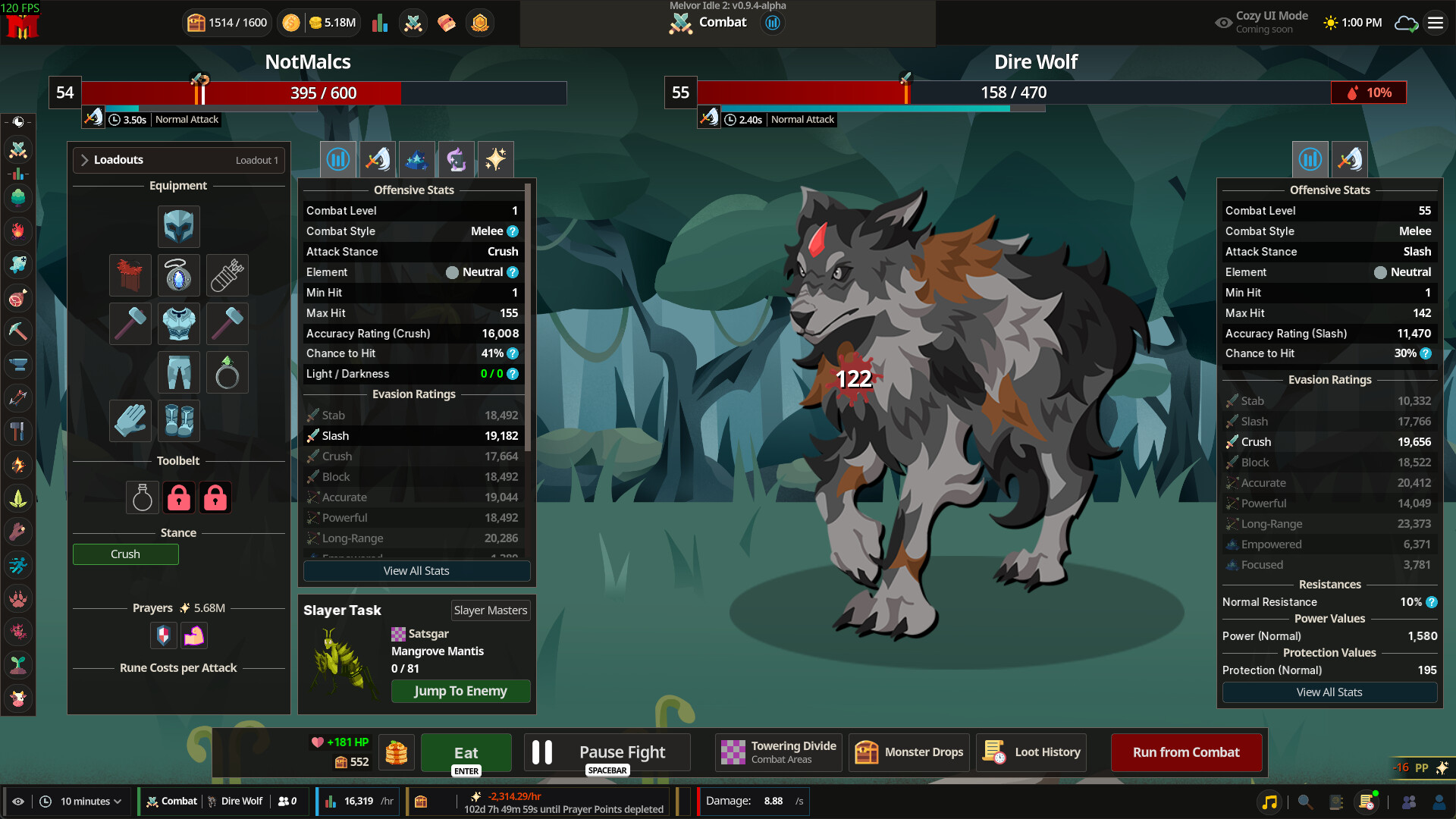
Read the sword and meat markers before idling combat
The sword marker on the combat HP bar shows the enemy's maximum hit, and the meat marker shows your current Auto Eat threshold. If the sword marker extends past the meat marker, the enemy may be able to kill you from just above the point where you would eat. For unattended combat, aim for a maximum hit below the threshold to leave a margin. If the enemy hits too hard, choose an easier target, improve your defensive gear, or build more maximum HP before trying again.
Select food and check how long it will last
When Auto Eat triggers, it uses at least one piece of the selected food if any is available and can eat several pieces at once to restore HP. Once you've checked the enemy's maximum hit, watch the fight briefly and use the current action tracker's hourly item-use rate to estimate how long your food will last. If your stock is too small for the session you have planned, shorten the session or stock up by Fishing and Cooking.
Check your food when switching to Thieving or Agility
Combat, Thieving, and Agility each have their own food selection. When switching activities, check that the one you're starting has food selected and enough in stock. For Thieving, check the threshold on the HP bar and start with an easier target while you build Stealth, since failed attempts can deal damage and stun you.