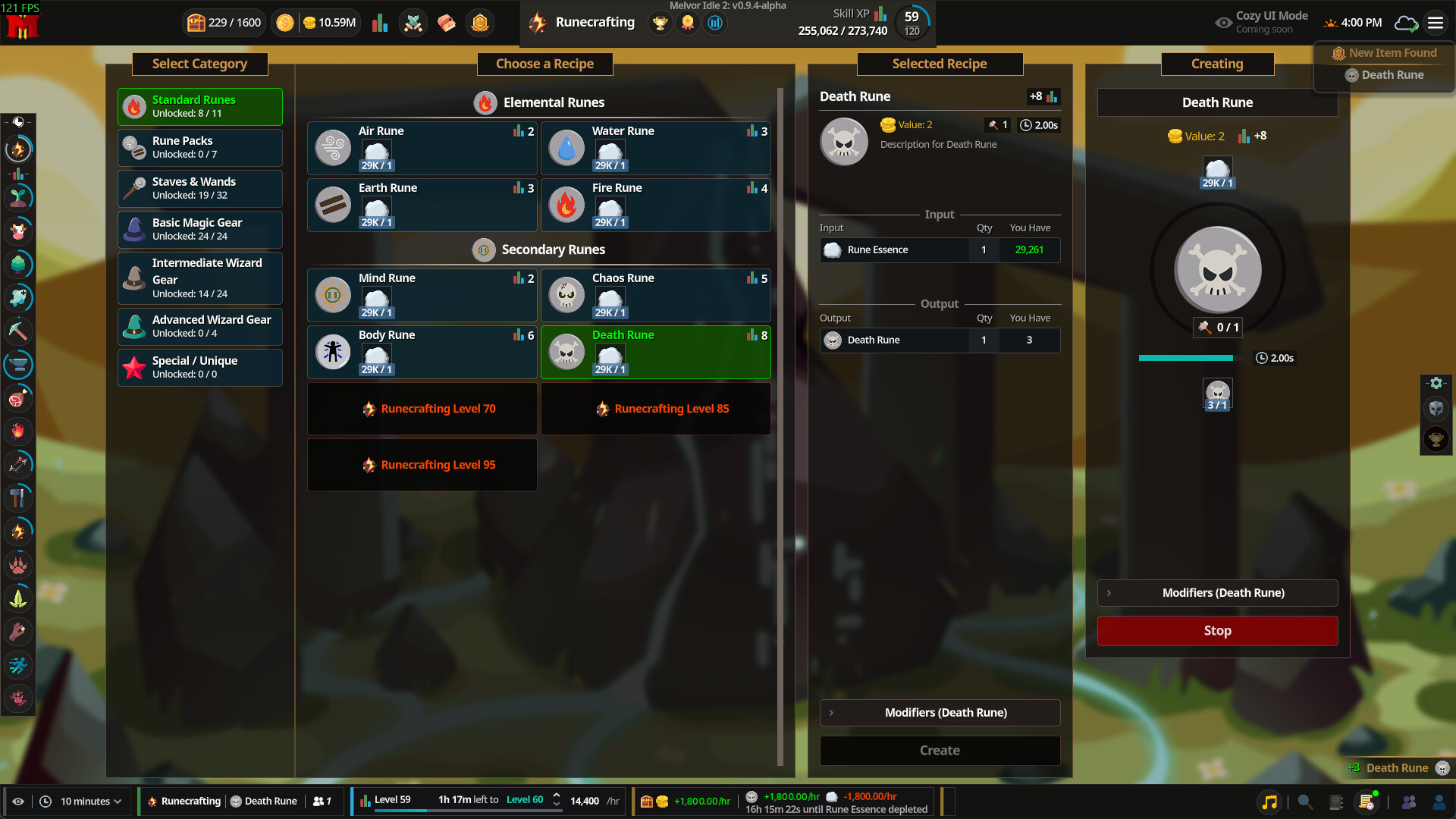
To estimate offline gains in Melvor Idle 2, multiply the hourly rates in Current Action Tracking by the number of hours you expect the action to run. The Steam listing describes offline progression as running at the same speed as active play, so the displayed rates give you a starting point for estimating skill XP and items gained or used. The base offline allowance is 24 hours. When you return, check the Event Log for your actual offline progression breakdown.
Estimate XP and items before you go offline
Select the action you want to run and read its skill XP per hour and item rates in Current Action Tracking. Take the shortest of your planned time away, your character’s offline allowance, and the time the action can run before supplies run out or a stop condition is met. With Stop Action on Full Bank enabled, include the time until the bank can no longer accept an item the action produces. Multiply each hourly rate by that shortest duration.
For a hypothetical action earning 1,200 XP and producing 60 items per hour, a full 90-minute session (1.5 hours) would yield about 1,800 XP and produce about 90 items. With Stop Action on Full Bank disabled, the action can continue, but any items that do not fit are destroyed, so check how much of that output your bank can actually hold. For actions that use materials, multiply each hourly usage rate by the session length to estimate how much to set aside. To estimate how long supplies will last, divide each material’s stock by its hourly usage rate and use the shortest time as your supply limit.
Check your offline results in the Event Log
After returning to the game, open the Event Log and find the offline progression breakdown. Compare the recorded gains with the estimate you made before leaving. If the totals differ, use the logged results to gauge what that session delivered and take a fresh hourly reading before planning the next one.